01
Project data
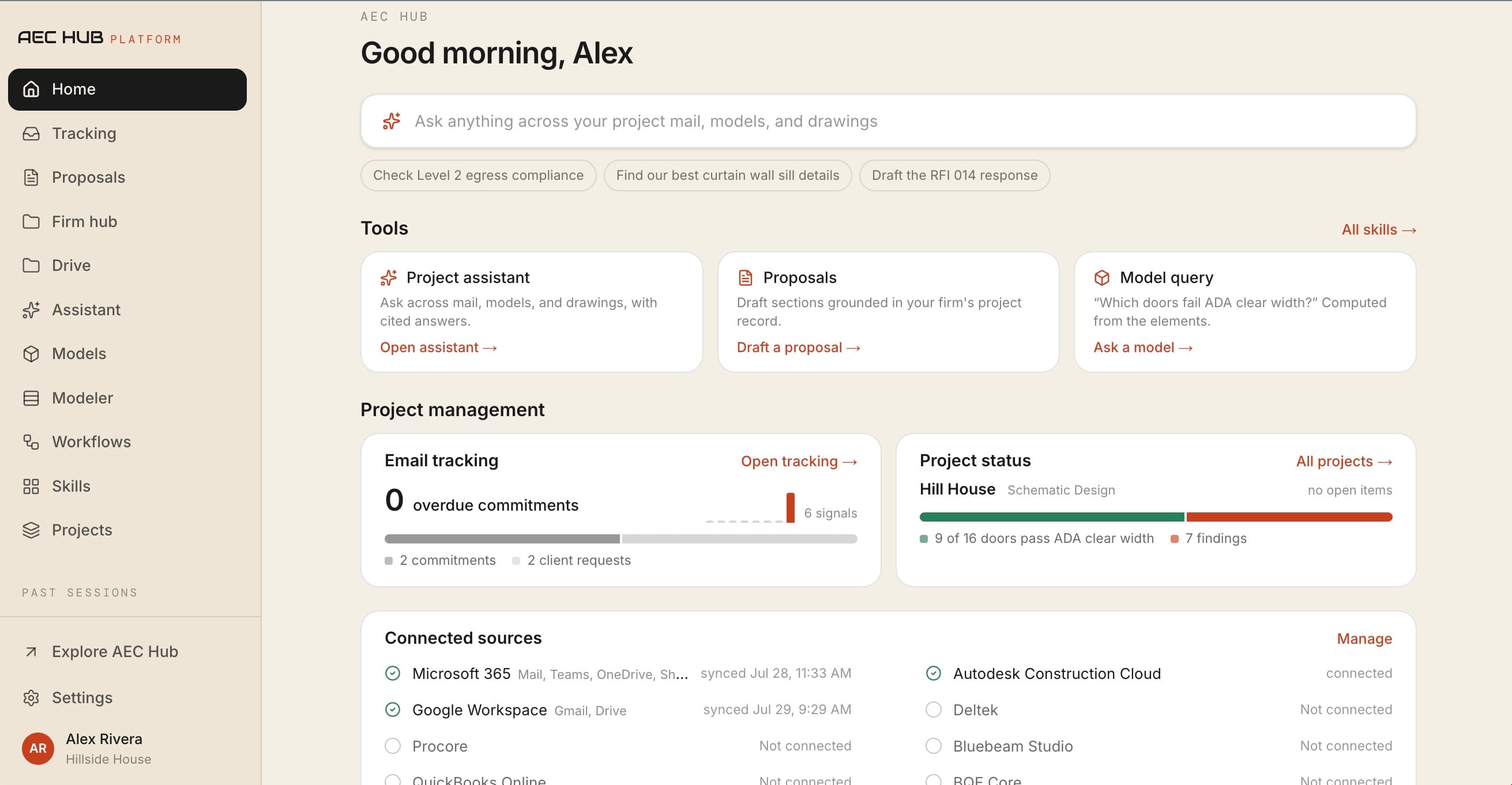
Unify the evidence
Models, drawings, standards, schedules, details, and project records become one queryable project context.
A firm-owned AI layer for architecture and engineering firms, grounded in your models, project communication, standards, and proven workflows.
Private pilot · every workspace includes guided setup
Integrations
The platform system
Generic AI sees documents. AEC Hub builds project context: the relationships between objects, requirements, decisions, and the work people need to do next.
Project data
Models, drawings, standards, schedules, details, and project records become one queryable project context.
AEC intelligence
Approved details, standards, project history, design logic, and reusable skills turn raw project data into firm knowledge teams can trust.
Human + AI action
Ask, check, compare, generate, and publish. Keep the source and the responsible person in view.
Firm knowledge
Firm knowledge is more than putting files into a chatbot. AEC Hub distinguishes approved details from drafts, retains project history and source permissions, connects standards to the work, and packages repeatable expertise as skills.
Integrations
Connect Revit models, DWG drawings, PDFs, firm knowledge, email, files, and team communication. AEC Hub brings that information into shared project context without asking teams to abandon the tools they already use.
ACC hubs, projects, folders, models, element data, and browser viewing
Outlook project mail, OneDrive, SharePoint, Teams, and reviewed replies
Gmail and Google Drive project context
Drawings and documents parsed into usable project context
Queryable building elements, properties, and relationships
Requirements and review logic configured for the pilot
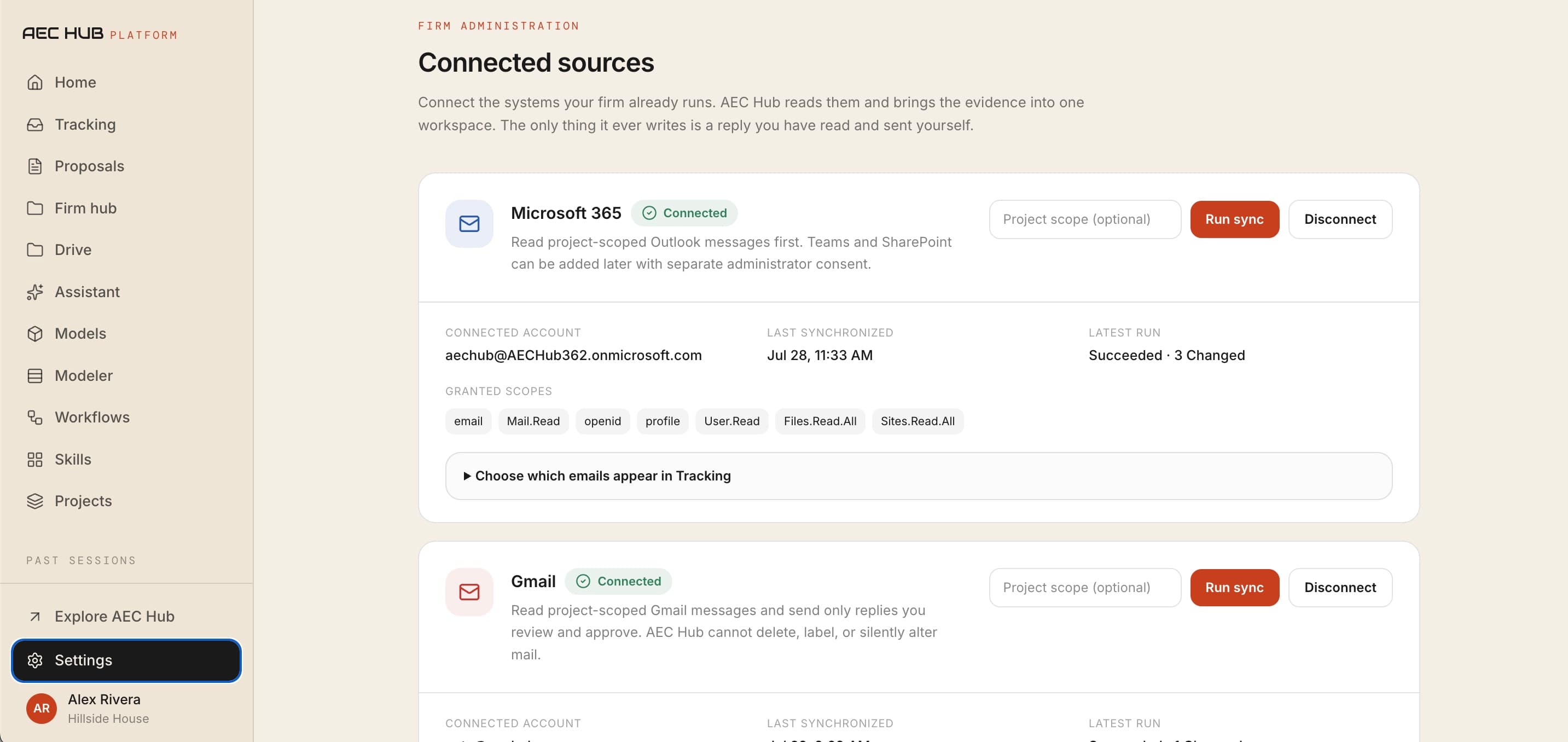
Pilot integrations are scoped around the firm's highest-value workflow.
Discuss your stackInside the platform
Explore how AEC Hub finds firm knowledge, checks models, standardizes computational tools, coordinates workflows, drafts project communication, and connects the systems where project information already lives.
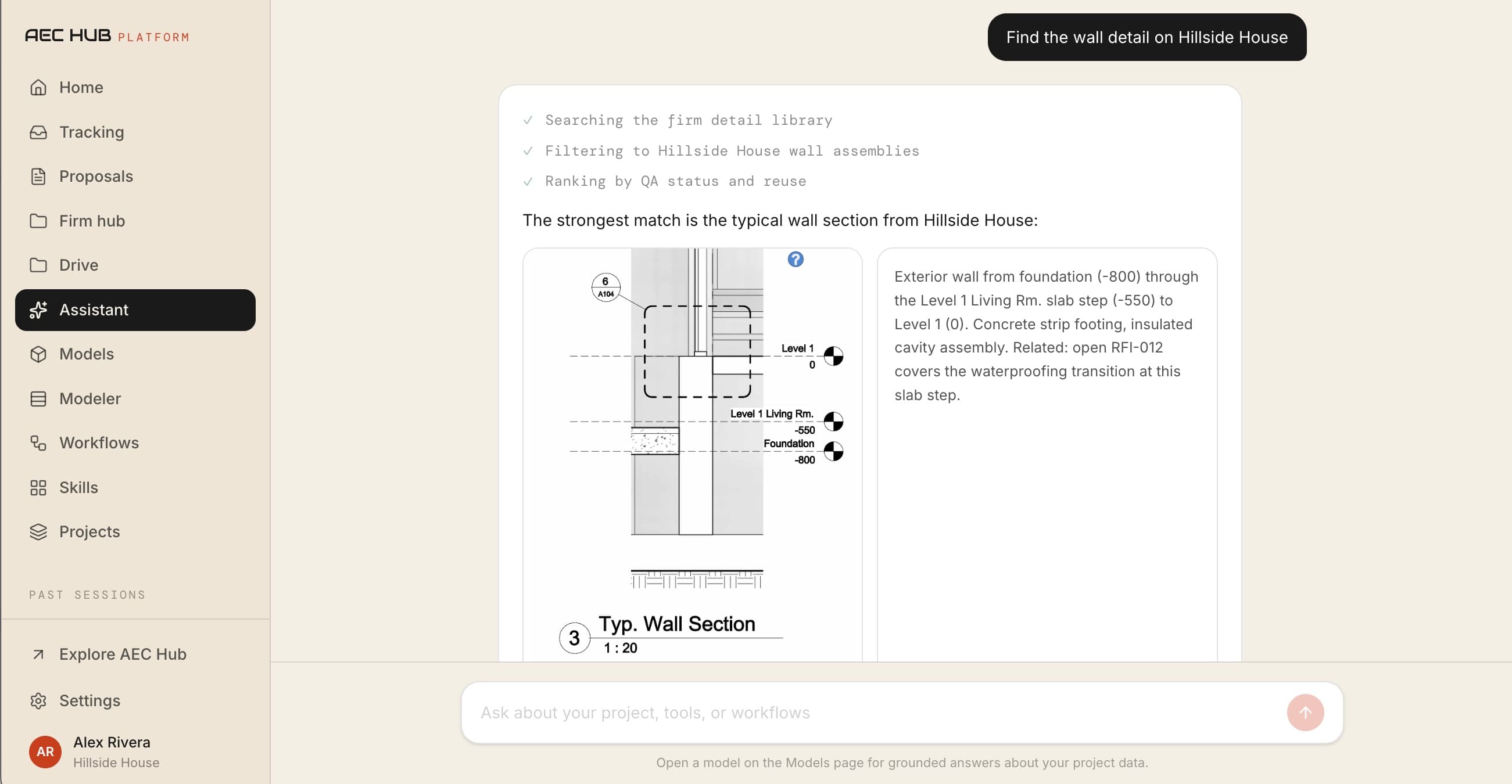
Find and reuse
Find approved details, standards, project decisions, and reusable expertise without losing where the information came from. AEC Hub ranks relevant firm knowledge, preserves provenance, and keeps review status beside the answer.
Configured around each firm’s approved sources during pilot onboarding
See it in motion
A minute through the platform: what a project owes, checked against the model, with the evidence behind every finding.
How it works
A consistent visual language connects every product surface: sources become context, context runs through firm logic, and every action retains a visible path back to evidence.
Context
Elements, rooms, requirements, files, and decisions are connected instead of trapped in separate tools.
Logic
Package repeatable checks, queries, and parametric methods so expertise can travel across every project.
Action
Turn a question into a cited answer, a highlighted condition, a study, or the next review task.
Control
Keep provenance, computed results, and human review close to every output instead of hiding the reasoning.
One connected layer
AEC Hub is designed to sit across the project stack, giving models, documents, firm standards, and AI workflows a shared language.
Built for the whole firm
Ask model questions, see what changed, and reduce the status meetings and manual re-entry that fragment a project day.
Outcome · Less context switching
Test exact file and system connections in a pilot, then roll out useful workflows without months of training.
Outcome · Adoption you can verify
Catch delivery risk earlier, protect margin, and scale project intelligence without immediately adding headcount.
Outcome · Better margin visibility
Technical proof
AEC Hub preserves typed project objects, source relationships, rule methods, citations, and professional review as one inspectable trace. The result is not separated from the evidence used to produce it.
Learn · Platform engineering
Technical notes explain what we are building, what is intentionally constrained, and how evidence, governance, and professional review lead to better project outcomes.
Explore all technical notesA technical breakdown of our new versioned skills, durable workflow ledger, firm-scoped execution, evidence-linked artifacts, and explicit professional approval boundary.
Evidence
Before synthesis
State
Outside the model
Action
After approval
Web + desktop
Use AEC Hub in the browser or as a native application for Windows and Mac. Desktop builds are rolled out to pilot firms as part of setup.
Simple starting point
Tell us about your firm and the first workflow you want to improve. We review every request and reach out personally to scope the workspace, connections, and setup.
Founder-led pilot
For approved pilot workspaces
No automatic trial or checkout. We confirm fit and help configure your workspace first.
Get help choosing a first workflow, connecting project sources, inviting your team, or troubleshooting an integration. You can reach a person throughout setup.
Trust is a product feature
The platform is being built around traceability: computed quantities show their method, findings point to model elements, and project context stays visible beside the output.
How we handle your dataKeep source files, cited requirements, and selected elements within reach of every answer.
AI accelerates the first pass; project teams retain judgment and approval.
Pilot environments are configured around the firm and the projects placed in scope.
Prove value on a real project before asking the firm to adopt a broader system.
Build the intelligence layer
We review every request and help approved firms connect their first project and workflow.
Visit aechub.org